Table of Contents
1. Configuring internal searches
Índice de contenidos
 Example in WordPress
 As we can see, the parameter to use is s if our site is wordpress, or searchword,on a Joomla site (these parameters will not always be, so this check must be done in each case).
1.1. Settings in Google Analytics
To access the settings we access the column “View” – > “View Settings” – > “Search settings on the site” In the “Query parameter” box, we will enter the parameter obtained in the previous check.
1.2. Configuration in Piwik
 In the case of Piwik, the parameter is called “Question Parameter” and is accessed from the administration tab. In the case of Piwik, the parameters “q, query, s, search, searchword, k, keyword” are already preconfigured, so we will only have to modify the configuration if the search parameter is different from these.
2. Analysis of internal searches
By doing an analysis of the metrics we obtain in these reports, we will have a complete vision of what our users are looking for on our site… It may happen that users are looking for information that does not exist on the site, and it serves us to expand the content of the web, or it may even exist such information, but that there are usability problems that make users do not find it directly through the navigation menus.2.1. Analysis in Google Analytics
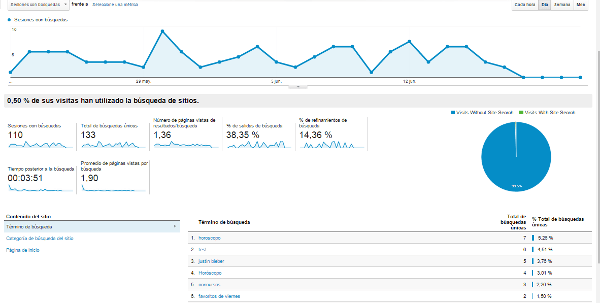
Accessing the Google Analytics report from Behavior – > Site Searches, we will get a complete report with very useful metrics such as:- % of sessions with search
- Total unique searches
- Number of page views of results
- % of search refinements
- Time after search
- Search home page
2.2. Analysis in Piwik
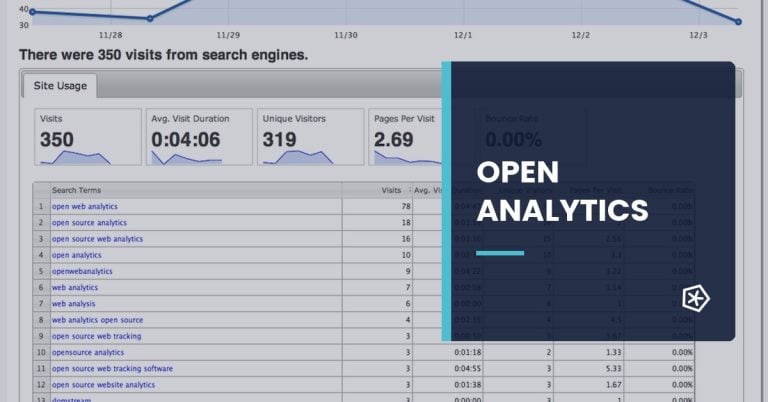
We access the report from Actions – > Internal search. In this case the metrics that we will obtain are:- Number of searches
- Search results pages
- % search output
- Pages following the search
 We see that the default metrics are less in the default report. However, in a more detailed analysis building segments you can obtain metrics very similar to those of Google Analytics.
3. Conclusion
The search box is one of the simplest and most effective tools to know what users are looking for on our site and with that information we can take optimization measures, such as adding content or improving the usability or structure of navigation menus. If your site doesn’t have a search box, it should be for a compelling reason… if not, you should be installing one right now, and, of course, start measuring it… It is amazing how much information we can get with this measurement and with a basic analysis.Frequently asked questions
What is internal search analysis on a website?
Internal search analysis studies what users search for inside a website. It reveals intent, missing content, navigation problems and product or information needs that may not be obvious in standard traffic reports.
How can internal searches help optimize a website?
They show the words users use, content they cannot find, product demand, usability issues and conversion opportunities. This helps improve menus, landing pages, categories and on-site content.
Which metrics should be reviewed in internal search analysis?
Review search terms, searches without results, refinements, exits after search, conversion after search, popular categories and differences by device or traffic source.
What mistakes should be avoided when analyzing internal searches?
Avoid looking only at top terms, ignoring zero-result searches, not segmenting by page or device, failing to connect searches with conversion and not using findings to improve content or navigation.