
Google My Activity lets you view and delete some of the activity saved to your account, such as searches and the use of certain services. It is not a record of everything you do online: what appears depends on the products you use, whether you are signed in and which activity-saving controls you have enabled.
This guide refers to the features available in December 2025. To manage your privacy, it helps to distinguish three actions: reviewing what is already saved, deleting it and deciding which activity will be stored from now on.
Índice de contenidos
How to access Google My Activity and view your history
Open the official Google My Activity panel and sign in with the account you want to review. This is the most direct route from a computer or from a browser on an Android phone or iPhone. Check the email address under your profile icon, especially if you are signed in to several accounts.
You can also find it in your Google Account settings, under Data & privacy, by looking for the history options. The names and location of some controls may vary by device, language and account type. Going directly to the panel avoids relying on a particular route through your phone settings.
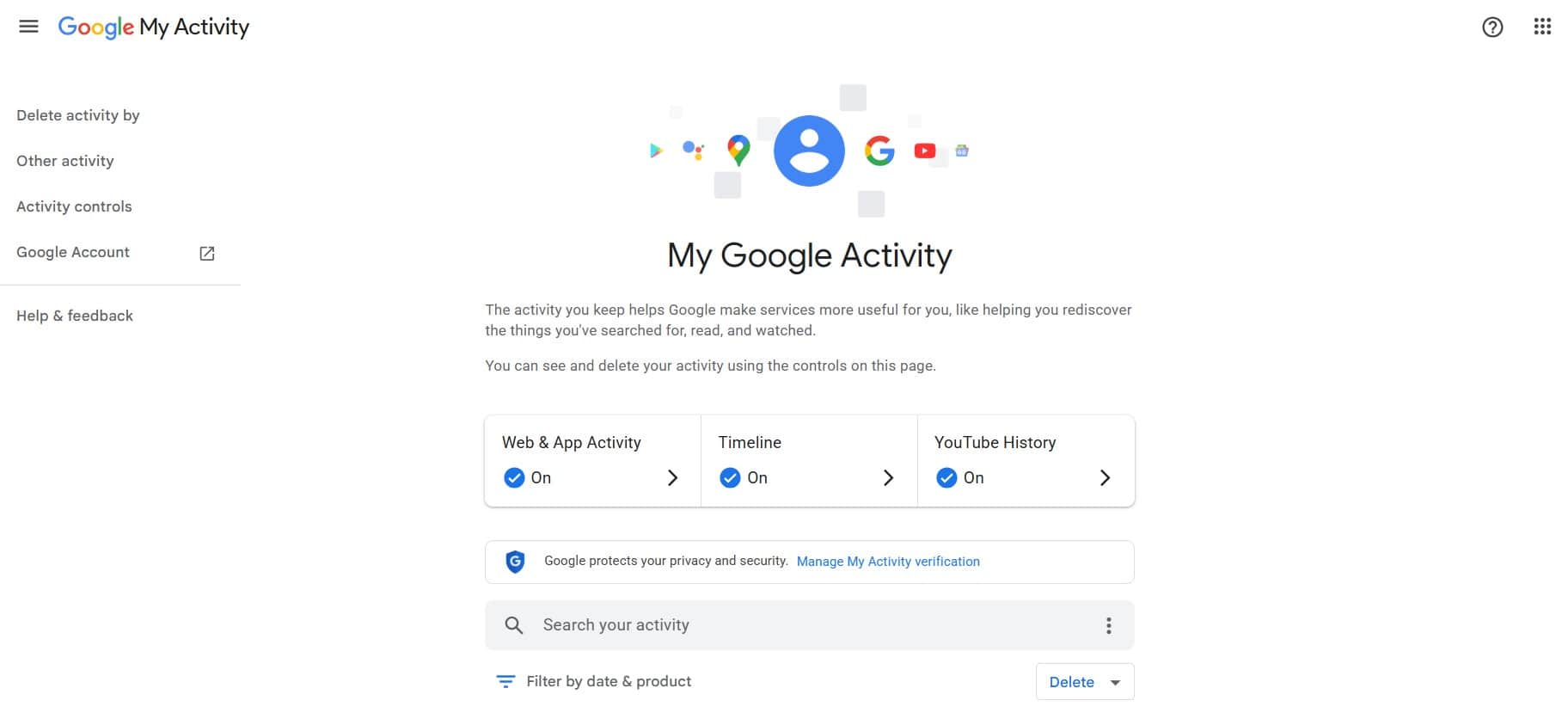
Find activity by date or product
The panel organises saved activity by date. Use its search box to find a term and its date and product filters to narrow the results. For example, you can find a search from last week without reviewing every entry in the account.
- Open My Activity and check that you are in the correct account.
- Enter a term or use the date and product filter.
- Select the time period and services you want to review.
- Open an entry’s details to see the available information about it.
Activity that does not appear in the panel is not proof that it never happened. It may have been deleted, recorded in another account or not saved because the relevant control was turned off.
How to delete searches and activity from your account
You can delete a specific entry or a set of data. Before confirming, review the selected time period and products: deleting a single search is not the same as removing all available activity from a service.
Delete an entry, a time period or all available activity
For a specific entry, find it using the filters and select its delete option. For a broader time period, open the panel’s Delete control and choose the range you need. The All time option covers the entire available period within the scope you select.
- Select the time period you want to delete.
- Check whether the action applies to all the products shown or only some of them.
- Read the summary of what will be deleted and confirm.
- Review the same time period again to check the result.
For example, if you only want to remove recent searches, filter by the relevant product and dates before deleting. Do not select the entire history by default. My Activity does not provide a trash folder for recovering deleted entries. If you need to keep a copy, review Google Takeout’s export options first.
What deleting My Activity does not mean
Deleting activity from your account does not automatically erase the local history in all your browsers, downloaded files, published comments or data held by a website you visited. It does not delete your Google Account either.
Google distinguishes the deletion of visible activity from other data-retention processes for security, operational or legal reasons. Therefore, clearing the panel does not guarantee that every trace of an action will disappear.
How to stop saving activity and enable auto-delete
If you do not want to clear your history regularly, review your account’s activity controls. Within the scope of this guide, the relevant settings include Web & App Activity and YouTube History. Each control has its own scope; there is no single switch that stops every kind of data processing by Google.
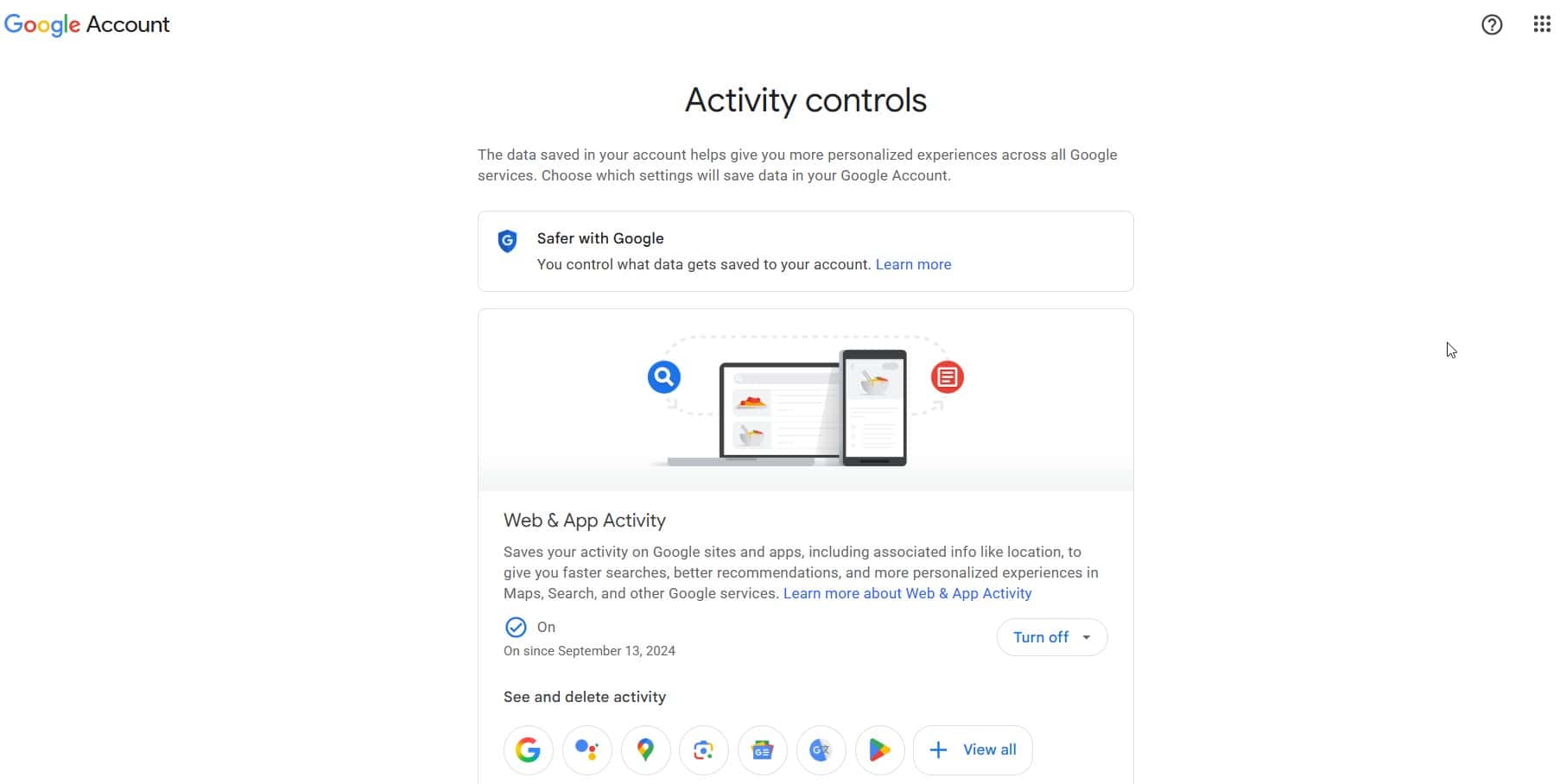
Turning off a control is not the same as deleting data
Turning off a control limits future storage covered by that setting, but does not necessarily remove what has already been saved. Check whether the screen also offers a delete action and read its scope before accepting it.
If your goal is to start without that history, there are two separate checks: delete the previous data and confirm that the activity-saving control is turned off. Changing the setting may also affect recommendations and other personalised features.
Set up auto-delete
Where supported, you can choose to delete activity once it reaches a certain age. Open the auto-delete option, select one of the periods offered in your account and confirm your choice. This feature already existed before December 2025; check the periods and options available in each control.
Auto-delete does not prevent new activity from being saved. It keeps a rolling window of history and removes data once it is older than the period you select. If you do not want that activity stored, review the option to turn off the control rather than simply shortening the retention period.
Chrome, YouTube, Maps and ads: what is managed separately
My Activity brings together information from several services, but it does not replace all their settings. Before trying to delete data, identify where it is stored.
Chrome browsing history
Chrome’s browsing history and the activity saved to your account are not the same thing. Their relationship depends on your signed-in session, synchronisation and chosen controls. To clear the browser, also review its option to delete browsing data and select the time period and types of data you want to remove.
Cookies, cache, passwords and history are separate categories. Do not select all of them if you only need to clear the pages you have visited.
YouTube History
YouTube has controls for searches and watched videos. Check its specific history if you cannot find a video view in the general panel. Deleting or turning off that history may change the recommendations you receive.
Comments, subscriptions and likes are separate actions: do not assume they disappear when you delete your watch history.
Google Maps Timeline
The timeline of places you have visited should not be confused with searches made in Maps. In December 2023, Google announced the move to on-device Timeline storage, with a gradual rollout and account-specific notifications. For migrated accounts, it is managed in the Maps mobile app, rather than as a complete history accessible from a computer.
In Maps, open your profile and look for Your Timeline to review its settings. Also check the backup options before changing phones. Deleting Maps searches from My Activity is not the same as deleting journeys from Timeline, or vice versa.
My Ad Center
My Ad Center, introduced by Google in 2022, lets you review ad personalisation and the preferences it uses. Saving activity and using it to personalise ads are separate decisions: advertising controls do not replace history controls.
Turning off personalised ads does not remove advertising. You may still see context-based ads, for example, based on the content you are viewing. Nor should you assume that this setting deletes activity already saved to your account.
Common problems and the limits of private browsing
I cannot see my activity, or I see information I do not recognise
First check the selected account, filters and control settings. If you switch between personal and work accounts, review each one separately. Accounts managed by an organisation or supervised accounts may have different options or restrictions.
An unfamiliar entry is worth examining, but it does not by itself prove unauthorised access. Also review your account’s devices and security activity. If you find a sign-in you do not recognise, secure the account through its security settings.
Incognito mode does not make you invisible
Private browsing limits what the browser retains when you close the private session, but it does not necessarily hide activity from websites, a company network or your internet service provider. If you sign in to Google in a private window, some activity may be associated with that account according to its settings.
To control your privacy, review both your account and your device. Start by deciding which history you need, delete what you do not want to keep and configure future activity storage, Maps and ads separately. This is more useful than trying to solve everything with a single delete action.
Frequently asked questions
Where can I view Google My Activity on my phone?
You can open myactivity.google.com in a browser on Android or iPhone and sign in. Check the email address of the selected account before viewing or deleting activity.
Does deleting My Activity also delete Chrome history?
Not necessarily. Browser history and account activity have different controls. Also review Chrome’s browsing data and the scope of synchronisation.
Why does activity keep appearing after I delete it?
Deleting activity does not automatically turn off future storage. Check whether the entries are new, whether you are viewing a different account or whether the data belongs to a separately managed history.